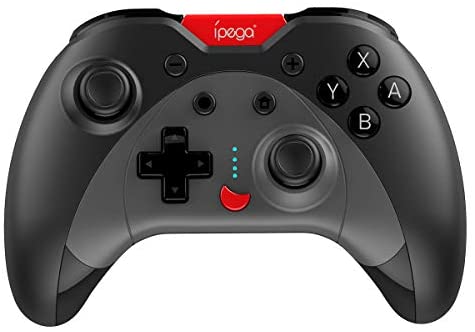
ipega Wireless Gamepad with Six-Axis Vibration – Smart Gaming Controller for Android, Console & PC
Touchscreen gaming is convenient, but it has its limits. Missed taps, cramped fingers, and zero tactile feedback can turn fun into frustration. That’s where the ipega Wireless Intelligent Game Controller comes in—bringing console-style precision, immersive vibration, and motion sensing to Android, Nintendo Switch, and PC gaming.
This versatile controller delivers smooth performance, long battery life, and flexible connectivity, all wrapped in an ergonomic design that feels comfortable even during marathon gaming sessions.
Introduction to Smart Wireless Gaming Controllers
Why Physical Controllers Still Matter
No matter how advanced touchscreens become, nothing beats physical buttons for accuracy, speed, and comfort. A dedicated gamepad ensures faster reaction times, better control, and a more immersive gaming experience overall.
Evolution of Multi-Platform Gamepads
Gamers often switch between mobile, console, and PC platforms. A single controller that works across devices isn’t just convenient—it’s essential. The ipega Wireless Gamepad was designed with this exact flexibility in mind.
Overview of the ipega Wireless Intelligent Game Controller
What This Gamepad Is Designed For
This controller is a one-for-all solution. Whether you’re gaming on your phone, relaxing with the Switch, or playing PC classics, it adapts seamlessly.
Who This Controller Is Best Suited For
-
Mobile gamers seeking more control than touchscreens
-
Console players who want a budget-friendly alternative
-
PC gamers looking for a versatile wired/wireless solution
Core Technical Specifications
Wireless 3.0 Technology
The ipega controller features Wireless 3.0, providing stable connections and low-latency gameplay.
Transmission Distance and Stability
With a range of up to 8 meters, you can comfortably sit back without worrying about losing connection.
Built-In Battery Performance
400mAh Battery Capacity
The built-in battery is lightweight yet long-lasting.
Charging Time and Play Duration
-
Up to 15 hours of continuous gameplay on a full charge
-
Rechargeable via Type-C cable
Perfect for long gaming sessions or weekend marathons.
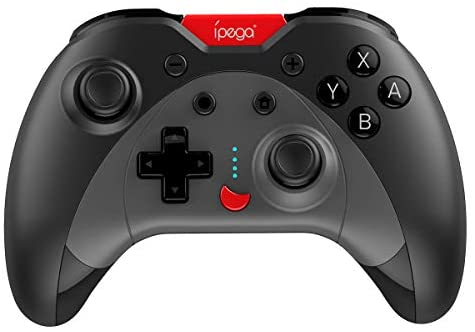
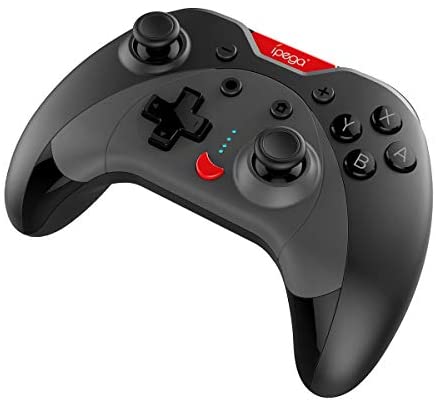
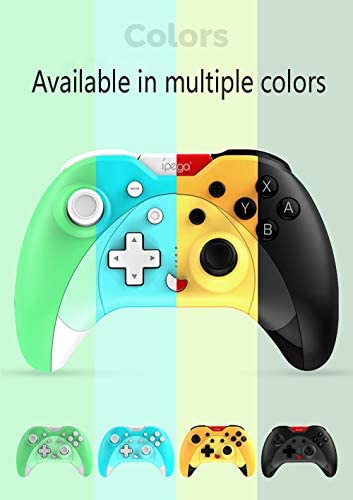
(as of – Details)

Multi-Platform Compatibility Explained
Android Smartphones and Tablets
Compatible devices include:
-
Samsung Galaxy S9 / S10 / S20 series
-
Huawei Mate 20 / P30 / P40 Pro
-
Xiaomi 10 / 10 Pro
-
OPPO R17, VIVO X series
⚠️ Note: Devices with MediaTek chips are not supported.
Nintendo Switch Compatibility
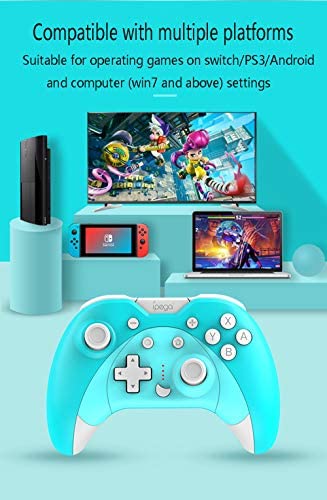
Fully compatible, with button functions mirroring the Switch Pro Controller for a natural gaming experience.
PC Support
Supports both wired and wireless modes, offering flexibility for different setups.
PC Wired Connection Modes
PC P3 Mode Setup
-
Power off controller
-
Press L + HOME for 2 seconds
-
LED4 flashes quickly
-
Connect to PC via USB cable
-
LED2 stays on (P3 mode active)
PC Xbox Mode Switching
-
Long press HOME for 3 seconds
-
LED3 stays on, indicating Xbox mode
Limitations of Wired Mode
-
✅ Vibration supported
-
❌ Six-axis gyroscope not supported
P3 Wireless Mode Setup Guide
Pairing with Console
-
Controller off
-
Press A + HOME for 2 seconds
-
LEDs flash
-
Connect via USB cable and press HOME to pair
Switching to Wireless Mode
Unplug the USB cable—controller enters wireless mode automatically.
LED Indicator Behavior
The corresponding channel LED stays on, confirming successful pairing.
Nintendo Switch Connection Method
Step-by-Step Switch Pairing
-
Turn on the Switch
-
Open controller pairing interface
-
Press B + HOME for 2 seconds
-
LED2 flashes rapidly
-
Press A to operate after pairing
Button Mapping and Control Behavior
Button layout mirrors the Switch Pro controller for a natural and intuitive experience.
Reconnecting the Controller
Press the HOME button to reconnect instantly.
Android Standard HID Mode
Entering HID Pairing Mode
Press Y + HOME for 2 seconds until the LED flashes quickly.
Bluetooth Pairing Process
Search for the controller on your Android device and tap Connect. LED1 stays on once paired.
Recommended Android Game Platforms
For best performance, download Grape Game Hall and follow the ipega public account.
Six-Axis Motion and Vibration Functions
What Is Six-Axis Technology?
Six-axis motion sensing detects tilt, rotation, and movement, adding realism to supported games.
Supported Platforms for Six-Axis
-
PC
-
Nintendo Switch
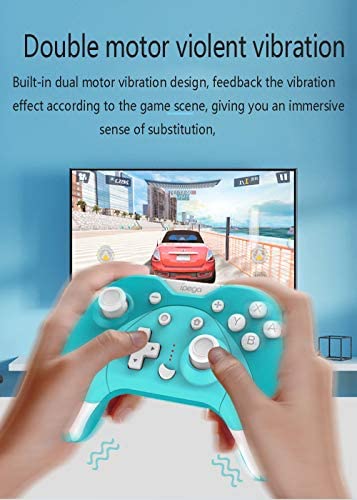
Vibration Feedback Experience
Vibration enhances immersion, allowing players to feel every impact and action.
TURBO Function and Rapid-Fire Controls
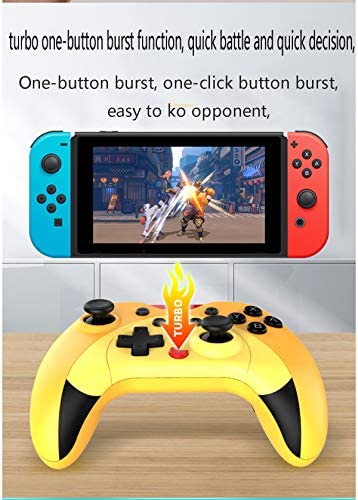
Understanding TURBO Mode
TURBO allows automatic rapid button presses, ideal for shooters and action games.
How to Activate and Deactivate TURBO
-
Long press the action button
-
Press the TURBO button to enable
-
Repeat to disable
Supported Buttons for TURBO
Supports A / B / X / Y / L / Z / R / ZR.
Programmable Buttons and Custom Key Mapping
Key Programming Capabilities
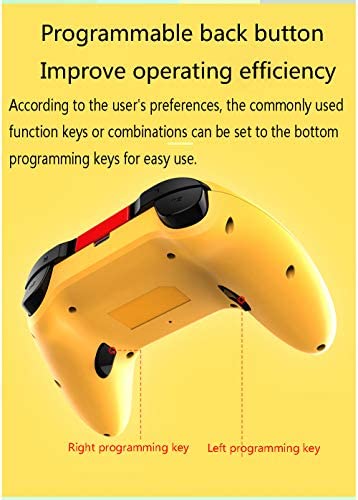
Frequently used actions can be assigned to programmable buttons.
Competitive Gaming Advantages
Faster reaction times, fewer mistakes, and better performance in fast-paced games.
Custom Control Scenarios
Perfect for fighting games, shooters, and RPGs that require complex combos.
Ergonomic Design and Comfort
Grip Design and Hand Comfort
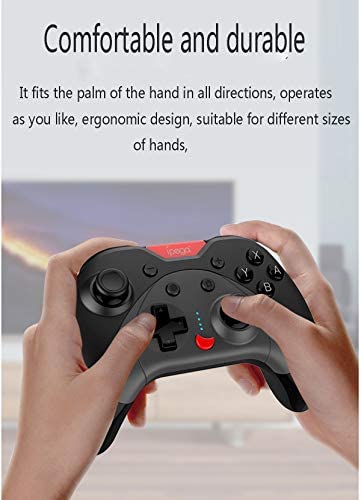
Shaped for maximum comfort, reducing fatigue during extended play.
Button Layout and Responsiveness
Buttons are well-spaced and tactile for accurate, responsive gameplay.
Long Gaming Session Performance
Remains comfortable and intuitive, even after hours of continuous gaming.
LED Indicators and Mode Recognition
Meaning of LED Lights
Each LED indicates a different mode, simplifying setup and troubleshooting.
Troubleshooting Using LEDs
If pairing fails, the LED pattern usually signals the issue.
What’s Included in the Box
-
1 × Wireless Game Controller
-
1 × Type-C Data Cable
-
1 × User Manual
Modern Type-C charging and clear instructions ensure quick setup.
Who Should Buy This ipega Wireless Gamepad?
-
Mobile Gamers: Ideal for those frustrated with touchscreen controls
-
Console and PC Players: Versatile controller for multiple platforms
-
Budget-Conscious Gamers: High-end features at a reasonable price
Comparison with Other Wireless Controllers
Advantages Over Standard Bluetooth Gamepads
-
Six-axis motion sensing
-
Vibration feedback
-
TURBO and programmable buttons
-
Broad compatibility across Android, Switch, and PC
Performance vs Price Analysis
Offers exceptional value, combining premium features with affordability.
Common Misconceptions About Wireless Game Controllers
Lag and Connectivity Myths
With Wireless 3.0, connection is stable and responsive, eliminating common lag concerns.
Mobile Gaming Control Myths
Physical controllers significantly improve accuracy, speed, and overall enjoyment compared to touchscreen controls.
Final Verdict – Is the ipega Wireless Gamepad Worth It?
Absolutely. With six-axis motion, vibration, TURBO mode, programmable keys, and wide device compatibility, the ipega wireless gamepad is a flexible, feature-rich, and affordable choice for serious gamers across multiple platforms.
For anyone looking for a single controller that works across Android, Nintendo Switch, and PC, the ipega Wireless Intelligent Game Controller is a smart investment. Comfortable, versatile, and packed with features, it elevates your gaming experience no matter the platform.
FAQs
1. Does the controller support six-axis on Android?
No, six-axis functionality is only supported on PC and Nintendo Switch.
2. How long does the battery last on a full charge?
Up to 15 hours of continuous gameplay.
3. Can I use this controller wirelessly with Nintendo Switch?
Yes, it supports wireless Switch connection.
4. Does it work with MediaTek-based phones?
No, devices with MediaTek chips are not compatible.
5. What games benefit most from TURBO mode?
Shooters, fighting games, and fast-action titles are ideal for TURBO mode.
(as of – Details)