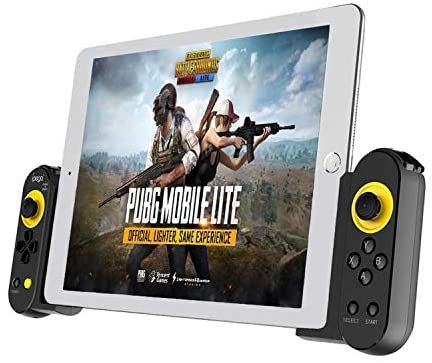
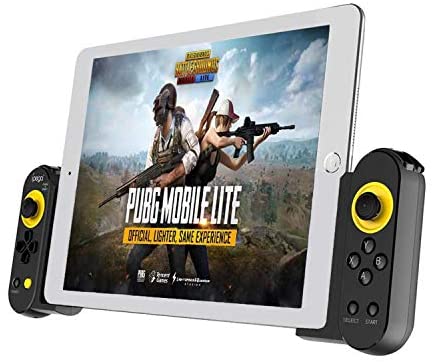
ipega Smart Mobile Gamepad Controller for Smartphone – Direct-Play Gaming for Android & iOS
Mobile gaming has come a long way, but touchscreen controls still feel like a compromise—especially in competitive games. Slippery thumbs, blocked screens, and delayed reactions can easily ruin the experience. That’s where the ipega Smart Mobile Gamepad Controller changes the game.
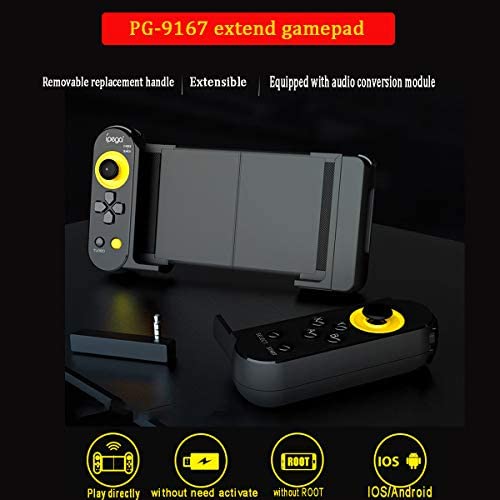
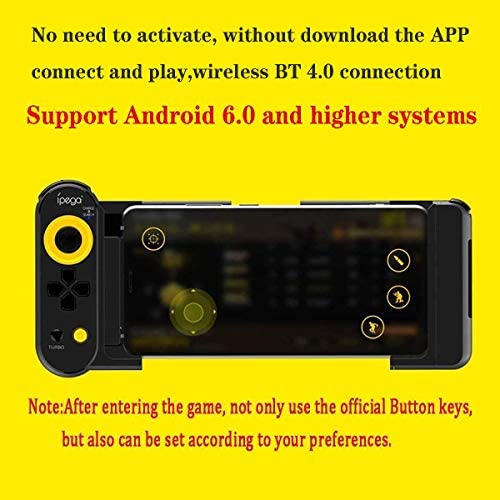
Designed for Android 6.0 and above and iOS 11.0–13.3, this smart controller focuses on direct-play functionality, making it ideal for popular mobile titles like Game for Peace, King of Glory, and Knives Out. No emulators, no complicated setups—just connect and play.
Introduction to Smart Mobile Gamepad Controllers
Why Touchscreen Gaming Has Limits
Touch controls work, but they’re far from perfect. In fast-paced shooters and action games, precision matters. Physical buttons give you better accuracy, faster reactions, and a clearer view of the screen.
The Rise of Direct-Play Mobile Controllers
Direct-play controllers are built specifically for mobile games. They connect straight to your phone without virtual mapping layers or extra platforms, offering a smoother and more natural gaming experience.
Overview of the ipega Smart Mobile Gamepad
What This Controller Is Designed For
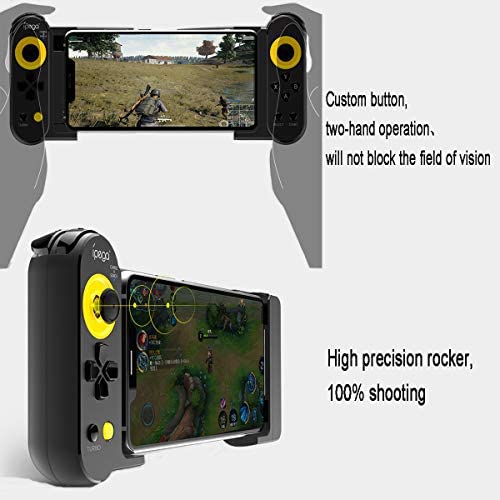
The ipega smart controller is optimized for mobile online games, especially shooters and competitive titles. It delivers unified gameplay without requiring third-party game platforms or complex activation steps.
Who This Controller Is Best For
-
Competitive mobile gamers
-
FPS and MOBA players
-
Users who want plug-and-play simplicity
-
Android and older iOS device users
System Compatibility and Requirements
Supported Operating Systems
-
Android: Version 6.0 or higher
-
iOS: iOS 11.0 to 13.3
-
❌ Not compatible with iOS 13.4 or higher
-
❌ Not compatible with MediaTek chipset devices
Always confirm your device system version before purchasing.
Product Features at a Glance
Direct Game Connection Mode
This controller supports direct-play mode, meaning games recognize it naturally without emulators or virtual overlays. This makes gameplay smoother and more responsive.
Optimized for Popular Mobile Games
Specially designed for:
-
Game for Peace
-
King of Glory
-
Knives Out
-
Other mainstream mobile online games
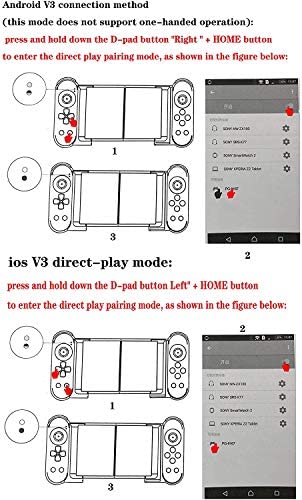
Android V3 Direct-Play Mode Explained
How to Enter Android V3 Direct-Play Mode
-
Press and hold D-pad RIGHT + HOME for about 2 seconds
-
Blue LED flashes quickly
-
Search for the Bluetooth device on your Android phone/tablet
-
Connect the controller
-
Blue LED stays on after successful pairing
Reconnection Process
Once paired, simply press the HOME button to reconnect automatically. The blue LED will flash slowly, then remain on.
⚠️ Note:
This mode does not support single-hand gamepad operation.
iOS V3 Direct-Play Mode
How to Enter iOS Direct-Play Mode
-
Press and hold D-pad LEFT + HOME for about 2 seconds
-
Blue LED flashes quickly
-
Search and connect via Bluetooth
-
Blue LED stays on after successful pairing
Automatic Reconnection
Press the HOME button to reconnect. A slow blue LED flash followed by a steady light confirms reconnection.
⚠️ Important iOS Limitation:
This controller does not support iOS 13.4 or later versions.
Android Standard Game Mode
How to Enter Android Standard Game Pairing Mode
-
Press and hold D-pad UP + HOME for 2 seconds
-
Blue LED flashes quickly
-
Search for the controller on Android phone, tablet, or Android TV
-
Connect the device
-
Blue LED stays on when paired
Automatic Reconnection
Press the HOME button to reconnect instantly.
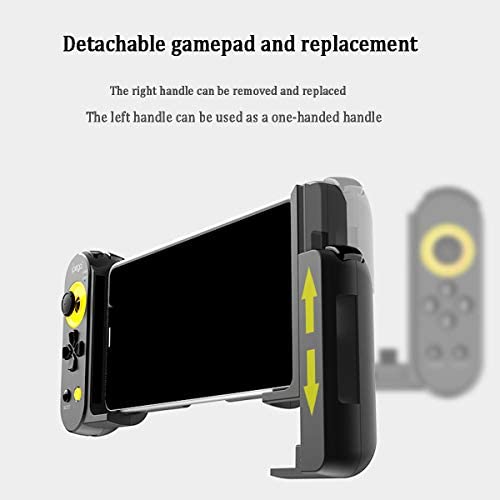
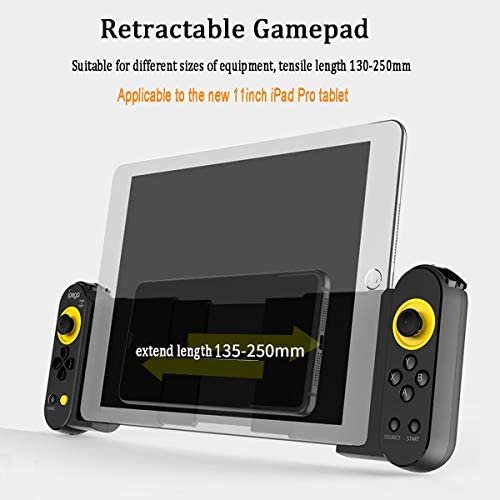
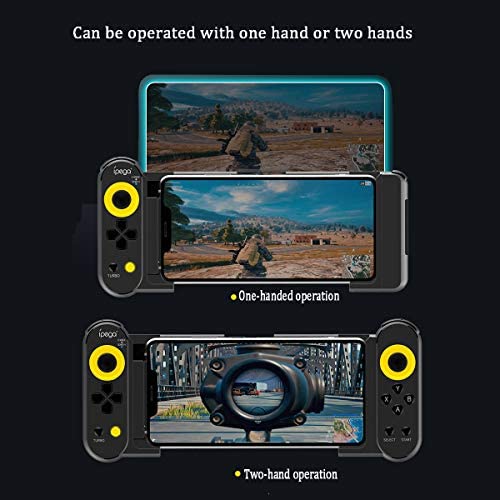
(as of – Details)

Supported Android Devices
Compatible with many popular Android smartphones and tablets, including:
-
Samsung Galaxy S9 / S9+ / S10 / S10+ / Note 10
-
Galaxy S20 / S20+ 5G
-
Huawei P30 / P40 / Mate 20 / 20 Plus
-
OPPO R17
-
VIVO X23 / X27 / X30 / X30 Pro
-
Xiaomi 10 / 10 Pro
⚠️ Devices using MediaTek chips are not supported.
Button Customization with ShootingPlus V3 App
Why Download ShootingPlus V3
The ShootingPlus V3 app allows you to:
-
Customize button layouts
-
Adjust virtual joystick size
-
Optimize sensitivity settings
Customization Tips
-
Align physical buttons carefully with virtual controls
-
Avoid blind spots by adjusting joystick size
-
Fine-tune settings based on your gaming habits
This app is essential for getting the best performance from the controller.
Ergonomic Design and Comfort
Controller Structure and Grip
The controller follows ergonomic design principles, ensuring a comfortable grip that reduces hand fatigue during long gaming sessions.
Button Layout and Responsiveness
Buttons are well-spaced, tactile, and responsive—perfect for intense gameplay where every millisecond matters.
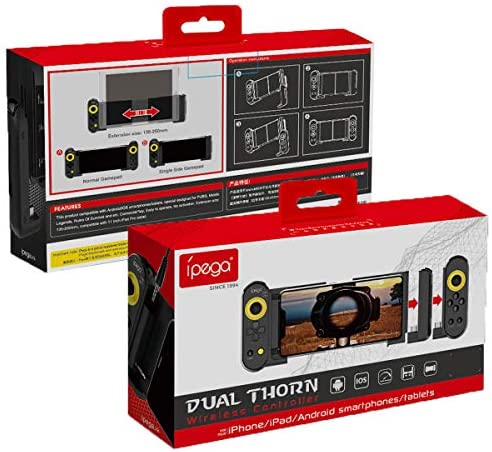
Package Contents
Inside the box, you’ll find:
-
1 × ipega Game Controller
-
1 × User Manual
Simple packaging, everything you need to get started.
Who Should Buy the ipega Smart Mobile Gamepad?
Mobile FPS and MOBA Gamers
Ideal for players who want better control in competitive games.
Android Users Seeking Direct-Play
Perfect for Android gamers who want plug-and-play functionality without emulators.
Older iOS Device Users
A solid choice for iOS users running versions 11.0 to 13.3.
Common Misunderstandings About Mobile Gamepads
“Mobile Gamepads Need Complicated Setup”
Not with direct-play mode—pair and play.
“Controllers Give Unfair Advantages”
They simply provide better control, not automation.
Final Verdict – Is the ipega Smart Mobile Gamepad Worth It?
Yes. If you’re serious about mobile gaming and want better accuracy, faster reactions, and console-like control, the ipega Smart Mobile Gamepad is a reliable and affordable choice—especially for Android users and supported iOS devices.
The ipega Smart Mobile Gamepad Controller is built for gamers who want more from mobile gaming. With direct-play support, ergonomic design, and wide Android compatibility, it delivers a smooth and immersive experience without unnecessary complexity. Just make sure your device meets the system requirements, and you’re good to go.
FAQs
1. Does this controller support Android 6.0 and above?
Yes, Android 6.0 or higher is required.
2. Is it compatible with iOS 14 or newer?
No, it only supports iOS 11.0 to 13.3.
3. Does it work with MediaTek devices?
No, MediaTek chipset devices are not supported.
4. Do I need an app to use this controller?
For customization, the ShootingPlus V3 app is recommended.
5. Which games is this controller best for?
FPS and competitive mobile games like Game for Peace and Knives Out.
(as of – Details)